
Shipping now
TaskFlow
Boards for the projects and operational work that cross departments. Every item has an owner, a status and a date, conversations and files live on the item, automations flag what is stuck, and leadership reads status from live reports instead of asking for it. On the web and on iOS and Android.
- Table, Kanban and Calendar views of the same board
- Column types for status, people, dates, timers, priority and more
- Automations that notify, assign, move, email or call a webhook
- Native iOS and Android apps with push notifications
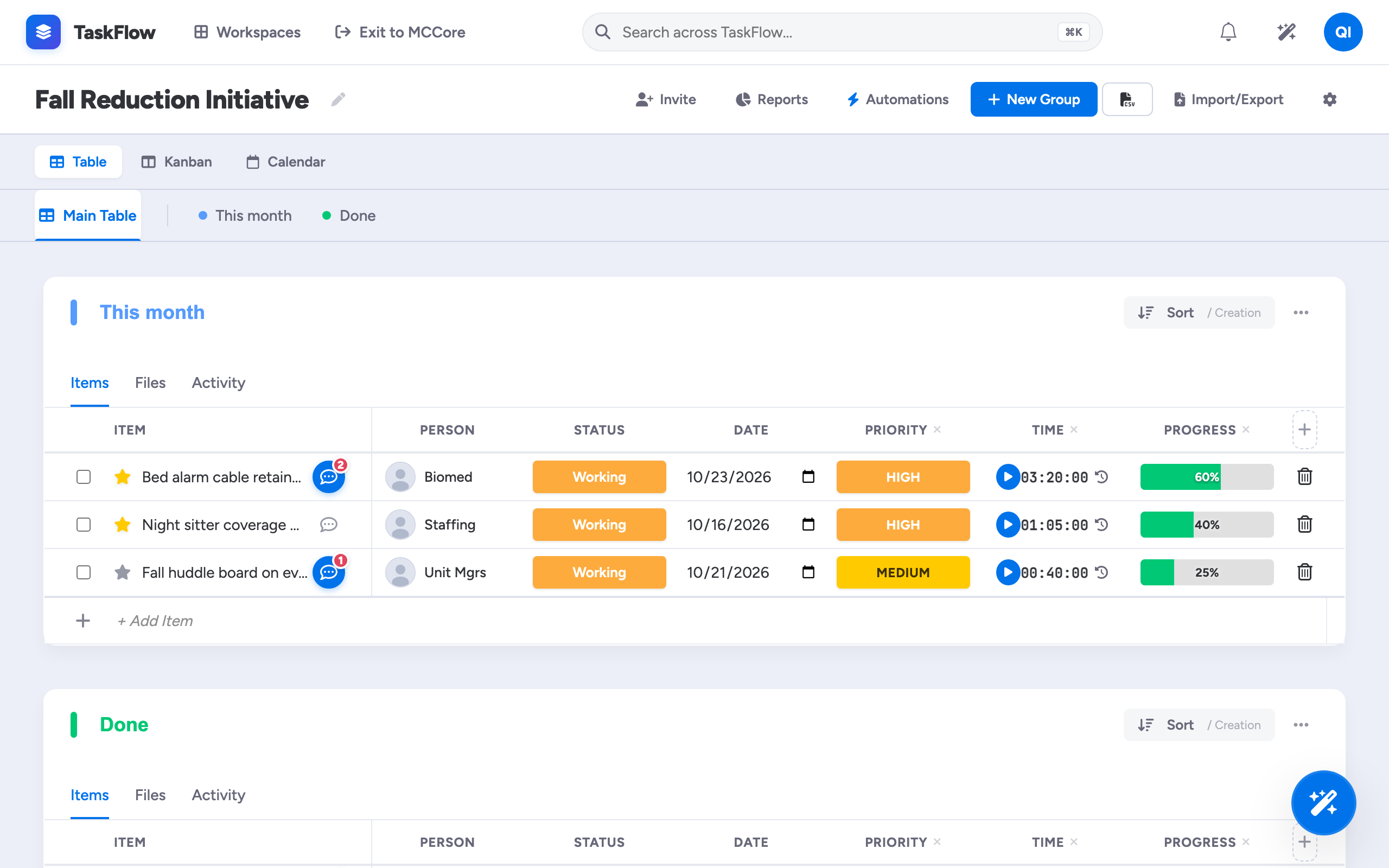
Status, People, Date, Timer, Progress, Priority, Number, Dropdown, Timeline, Rating and more.
Table, Kanban and Calendar show the same items, not copies.
Notify, change status, assign, move to group, post an update, send an email or call a webhook.
My Work, item updates, files, timers and push notifications, on the same API as the web app.
Set up the board
Create a board, add groups, and add the columns the project needs. Bring an existing spreadsheet with CSV import and column mapping. Share it with Manage Access.
Work on the item
Updates, @mentions, files and timers live on the item, so the context stays with the work. Team members update status from their phones between jobs.
Let rules do the chasing
When an item gets stuck, is created, is assigned or a column changes, automations notify the right person, assign it, move it, post an update, send an email or call a webhook.
Three views, one board
Switch between Table, Kanban and Calendar in one click. Each view reads and writes the same items.
Updates on the item
@mention a teammate and attach the quote. Conversations stay with the work instead of in someone's inbox.
Automations
"When status changes to Stuck, notify the board owner." Rules run on every board, so nobody has to remember to.
Time tracking
Start and stop a timer on any item, from the web or the phone, and see where the hours went.
Live reports
Items by status, workload by person, priority split, items by group, weekly velocity, overdue items and average cycle time. Export to CSV.
Connected to the platform
Completed Forms submissions can create items automatically, and API keys and webhooks connect other systems.
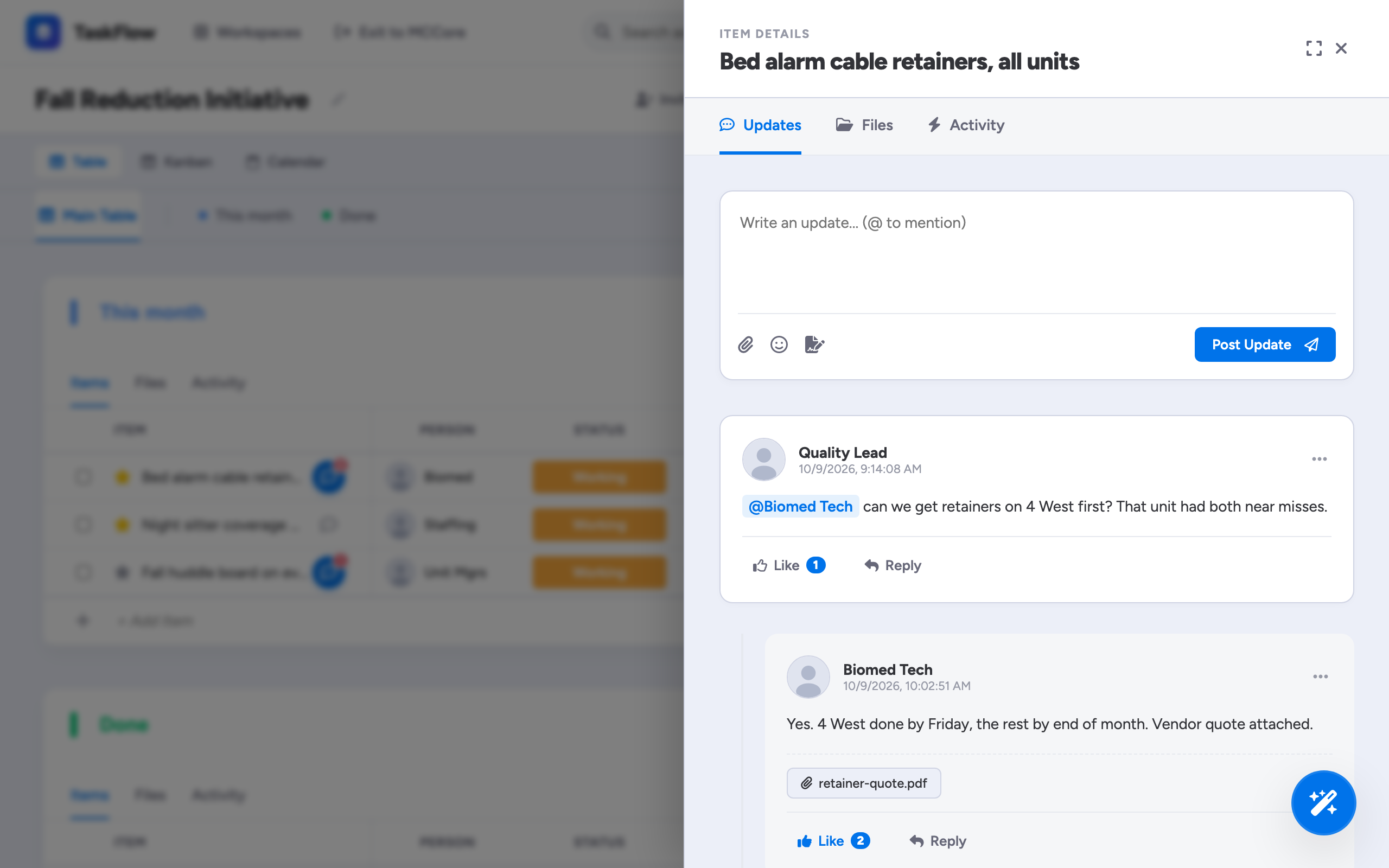
Conversations live on the item
The project lead @mentions Biomed on the cable retainer item. The reply, with the vendor quote attached, stays with the work where everyone on the board can see it.
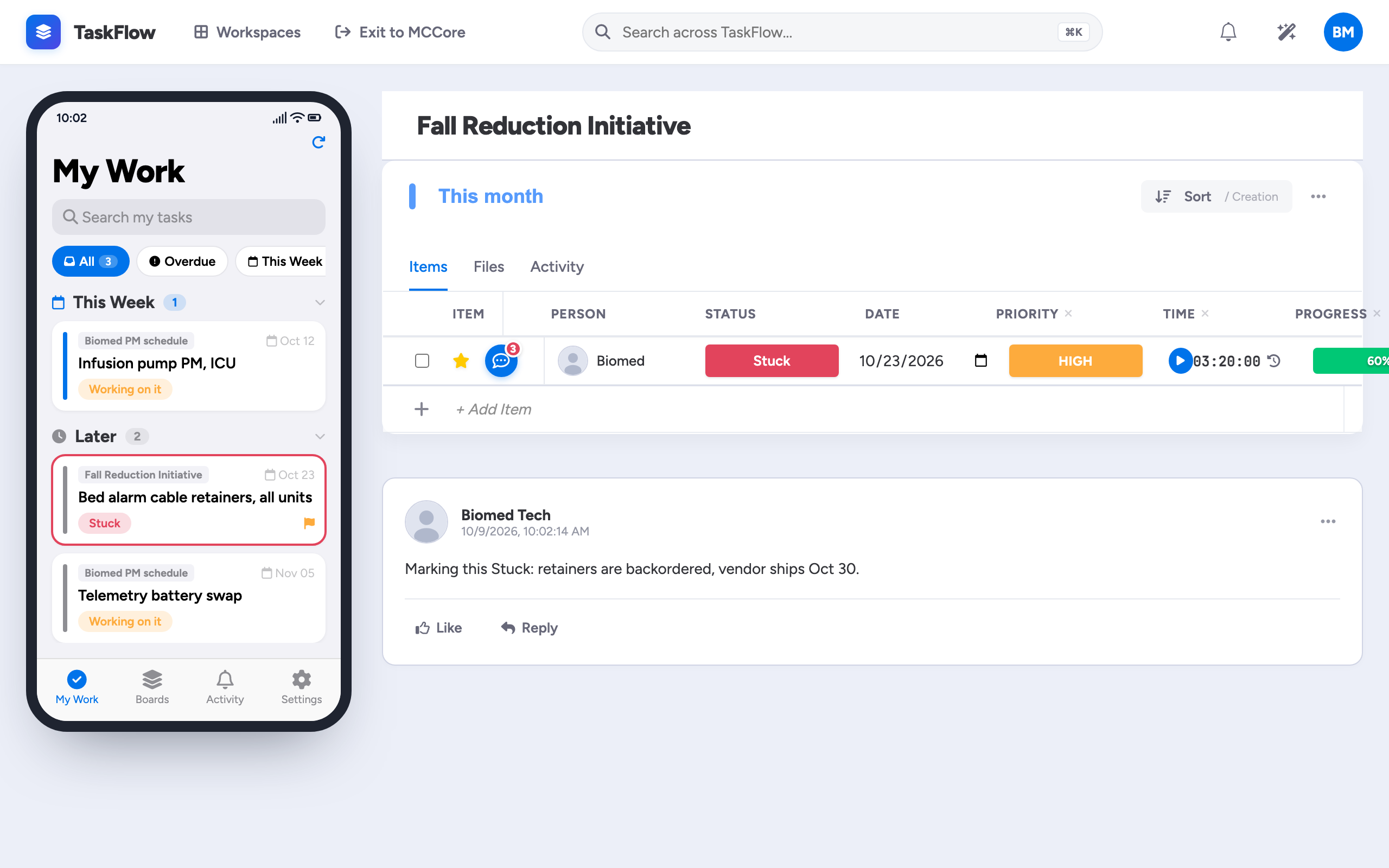
Updated from the floor
Between jobs, a technician logs time and marks the item Stuck from the iOS or Android app: the retainers are backordered.
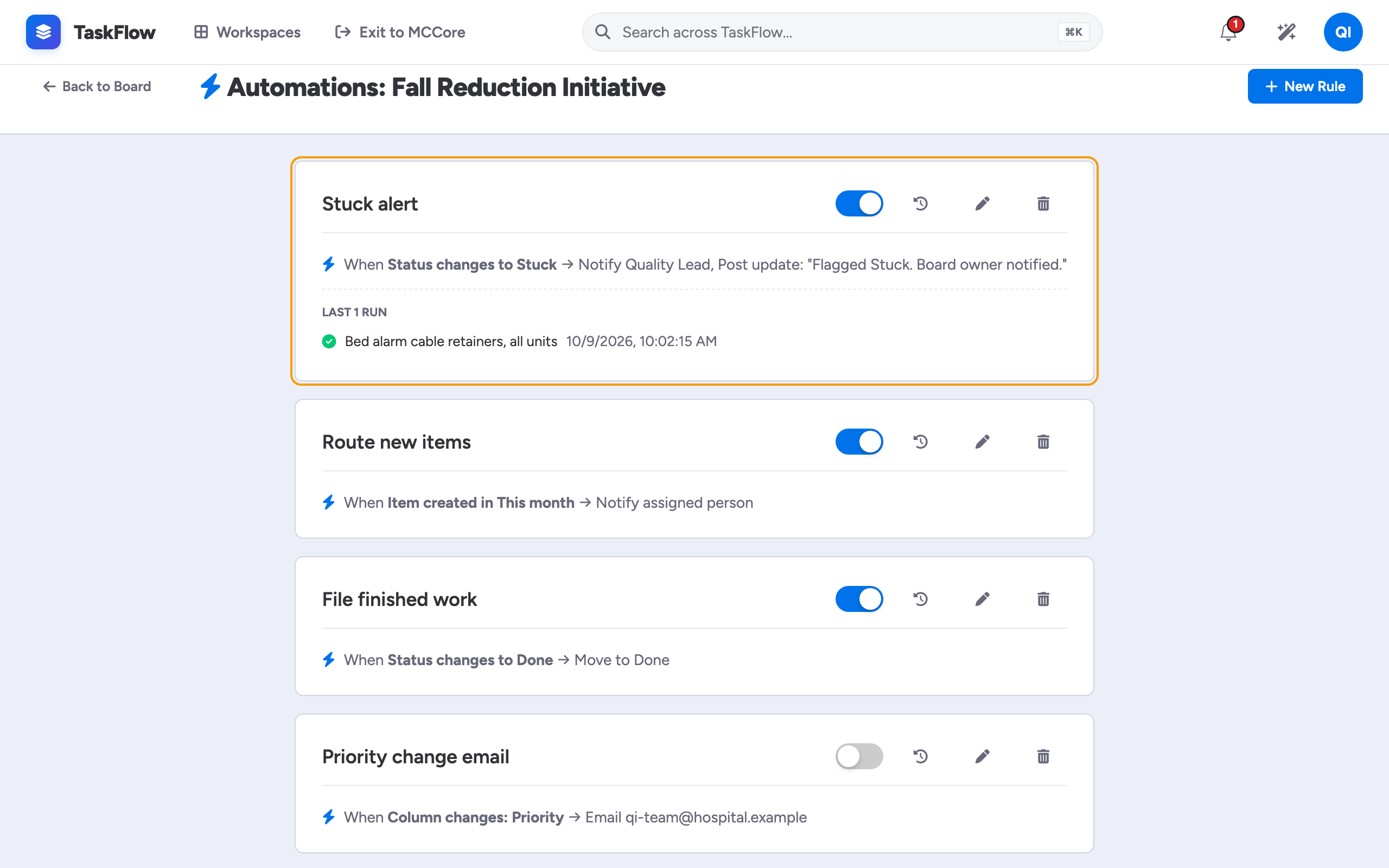
Stuck gets noticed, automatically
Stuck triggers a rule: the board owner is notified and an update is posted. Nobody had to be watching the board.
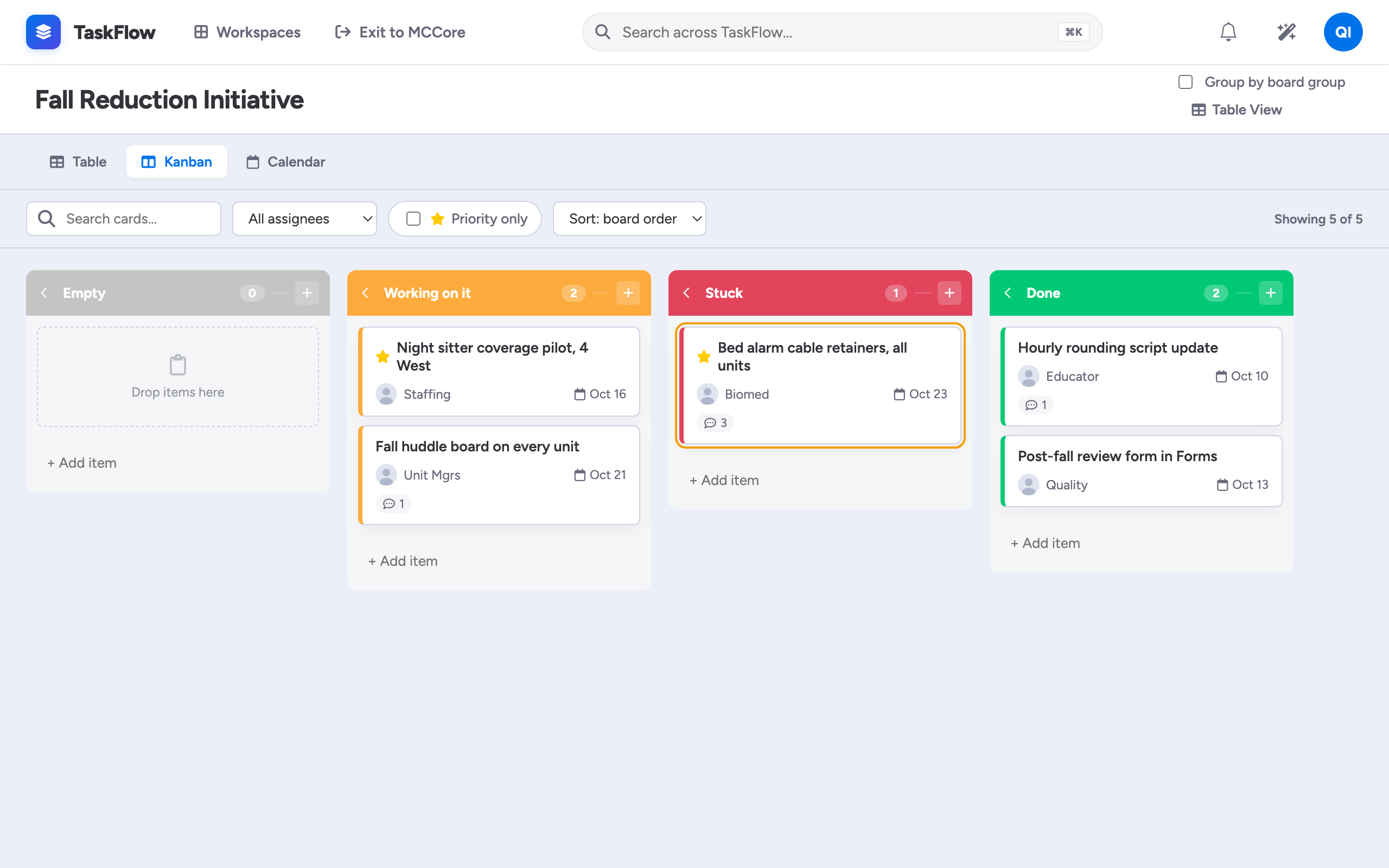
The same work, as a Kanban
Switch views and the stuck item stands in its own column, with owner, priority and due date on the card.
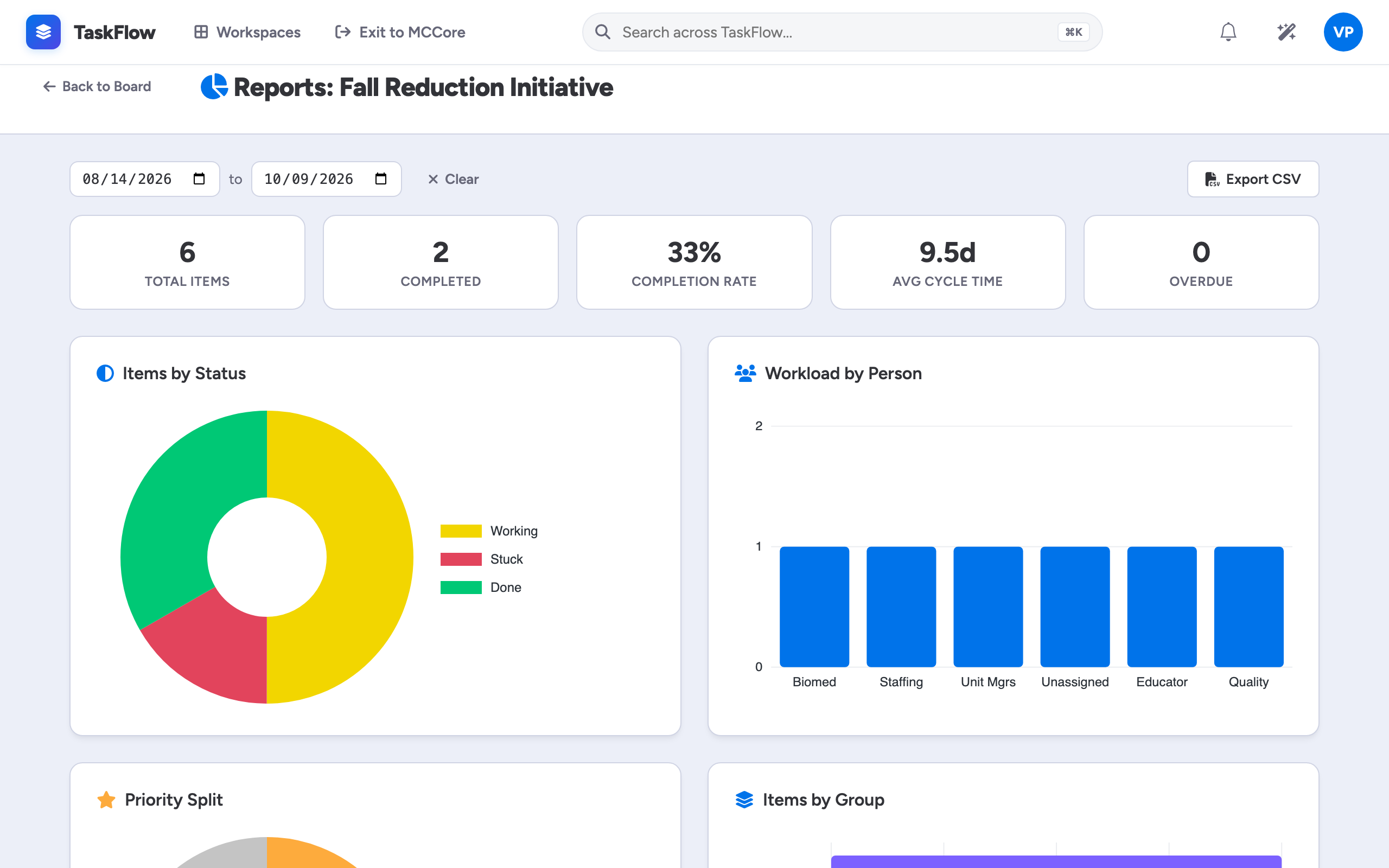
Status without the status meeting
Leadership reads status, workload, velocity and priority live from the board, and exports to CSV for the operations review.
Questions
How is TaskFlow different from a standalone project tool?
It runs inside MCCore, with the same sign-in, user directory, permissions and audit log as your other apps, and Forms can create items in it directly.
Can we bring our existing lists?
Yes. Upload a CSV, map its columns to board columns, and every row becomes an item.
Does it work on phones?
Yes. Native iOS and Android apps show My Work across every board and let people update status, post updates, attach files and run timers, with push notifications.
What does the AI do?
Ask AI answers questions about a board in plain language, using its items, updates and dates. It is a per-organization switch, under one AI master switch for the organization.
Walk through it before you talk to us
Follow a fall-reduction project across five departments, from the first board to the report leadership reads. Then we will set up a board with your own project.